Building Analytics Reports in Rails Using Apache Logs
published 01/17/26
Over on Evaluating Apache Access Log Data I dove deep on the data available to me from my many years of hoarding Apache access log data. By working with the logs in this way I learned what data points existed. I got familiar with the patterns and saw a lot of junk. That made it possible for me to hone in on what exactly I cared about.
The end goal was to create a section on my Rails app for website analytics reports. I broke up this work into 4 PRs:
- Import Apache log files with ETL pipeline
- View analytics reports with Apache log data
- Add CRUD pages for analytics models
- Configure recurring import process for analytics data
This post will cover these PRs and detail my approach plus any interesting things I learned.
Import Apache log files with ETL pipeline
The first PR of the set was all about getting the modeling right and then using the concept of an ETL pipeline to import the Apache data from S3. I added rake tasks to work on this locally and then also with my production deploy at Heroku.
Adding a parent model
Something that popped out of this process was splitting up the modeling into a parent/child relationship:
ApacheLogFile: represents a daily file of requestsApacheLogItem: represents an individual request
An ApacheLogFile record has many ApacheLogItem records. The ApacheLogFile
is where I store the content of the access log text files and the
ApacheLogItem is where I break that text down into lines and create one for
each of them. Well that's not exactly true but more on that later.
Making this modeling choice had a really nice benefit which is that I could
create the ApacheLogFile records and download the Apache log data as my
extract step but then the transform and loading could happen separately. Prior
to this modeling choice my approach was more like Extract-Load-Transform and was
clunky.
If you want the juicy details this is the commit to check out: d23758a. It's where I have the database migrations so you can see all the various fields.
Associated Objects for ETL Classes
The next 3 commits on this PR are actually very readable. They each take a letter in ETL and create an Associated Object for it. Side note: you should totally check out this gem if you haven't seen it yet - it's a great way to organize Rails code!
Anyway here are the next 3 commits:
Extractor Class
The Extractor class is simple: use the dateext value to construct the S3 key
and then grab the data. Unzip it and then update the given ApacheLogFile
record we are working with.
Transformer Class
The Transformer class is bit more complex but mostly because it is where I am mapping the individual access log lines to the database columns where it will ultimately be stored. I organized it as parse, then normalize. So parsing is where the regex happens with a bit of logic about how to handle weird parse results. Then normalization is where I can massage things so that there is consistency.
This class ends up taking an array of strings (the log lines) and transforming
each into a hash. This is stored back on the ApacheLogFile in a jsonb column.
Loader Class
We are now ready to take the parsed log lines and turn them into ApacheLogItem
records but only if they are worth importing. As I said at the top, I spent a
lot of time evaluating this data and pretty quickly I realized that my server
receives a LOT of garbage requests. This resulted in me building up a set of
rules that I wanted to use to eliminate the irrelevant requests so that I would
be left with only requests that were interesting to look at.
In Rails terms I decided to formulate these rules as validation. I started off
writing them right in the ApacheLogItem class but soon realized that I'd want
something better so I checked the docs for my options and that
reminded me that you can validate a Rails model with a class that inherits from
ActiveModel::Validator so that's what I did in this commit.
The Loader class then becomes very simple - take the parsed data from the
ApacheLogFile record, use it to create an ApacheLogItem record and validate
it. Only persist the valid ones and then we are done.
I really enjoyed the process of writing this commit because there was a tight TDD loop where I would take my "rules" and break them down into test cases and then just knock them off one-by-one.
Importing data
Now that I had each step of the ETL pipeline defined I needed just a bit of orchestration. What I wanted was to be able to run a Rake task and have it enqueue background jobs that would call a method to kick off the import process.
That final bit looks like this:
class ApacheLogFile < ApplicationRecord
  def self.import(dateext)
    apache_log_file = create(dateext: dateext, state: "pending")
    apache_log_file.extractor.run
    apache_log_file.transformer.run
    apache_log_file.loader.run
    apache_log_file
  end
end
That's just a snippet of the model file but yeah I really like how that method
turned out. The ETL import pipeline is defined as creating an ApacheLogFile
record and then calling run on each step of the process - super easy to see
how it all fits together.
Bubbling back up to my overall goals then it was clear that I'd want 2 tasks - one to load an individual file and one to backfill. I'd use the former locally to iterate on this process and then check that everything can be imported correctly with the backfill task. Those are invoked like this:
$ bundle exec rake apache_logs:backfill
$ bundle exec rake apache_logs:import[20251201]
The former would slurp up the entire set of Apache log files on S3 but the
latter would just grab the one that matched the dateext that I passed in. Tiny
aside: dateext is the logrotate term for the way that it puts a datestamp
into the filename like access.log-20251201.gz so I followed that terminology
for better or worse.
Running the import locally
Prior to the addition of the ApacheLogFile model I would create an
ApacheLogItem record for every line in the access log data. That created
millions of records that I ended up culling down to less than a hundred thousand
as I learned more. This is why it was a better to extract everything into the
ApacheLogFile record, transform the data there and only actually load the
records that I wanted to keep.
When I first started working with the data it would take 3 or more hours to import everything but with this better modeling it was down to 10 minutes.
Running the import on Heroku
Once the PR was merged and deployed to Heroku I kicked off the backfill and it was quite an adventure! Turns out my Heroku worker dynos were running out of memory and it caused all sorts of problems. I detailed this in a comment if you are interested in the journey but the solution was a combination of changing the thread count to 1 and just restarting the dynos when they were crashed.
I did have to do some data cleanup but it wasn't too bad and ultimately the actual ETL pipeline was all correct - the only issues were more like the constraints of Heroku not the code.
View analytics reports with Apache log data
Major milestone reached! The Apache access log data was now sitting on Heroku and ready to be viewed. All my careful tinkering with the ETL code was correct. PHEW. But this data doesn't do much unless we have a way to look at it.
Start With Sketching
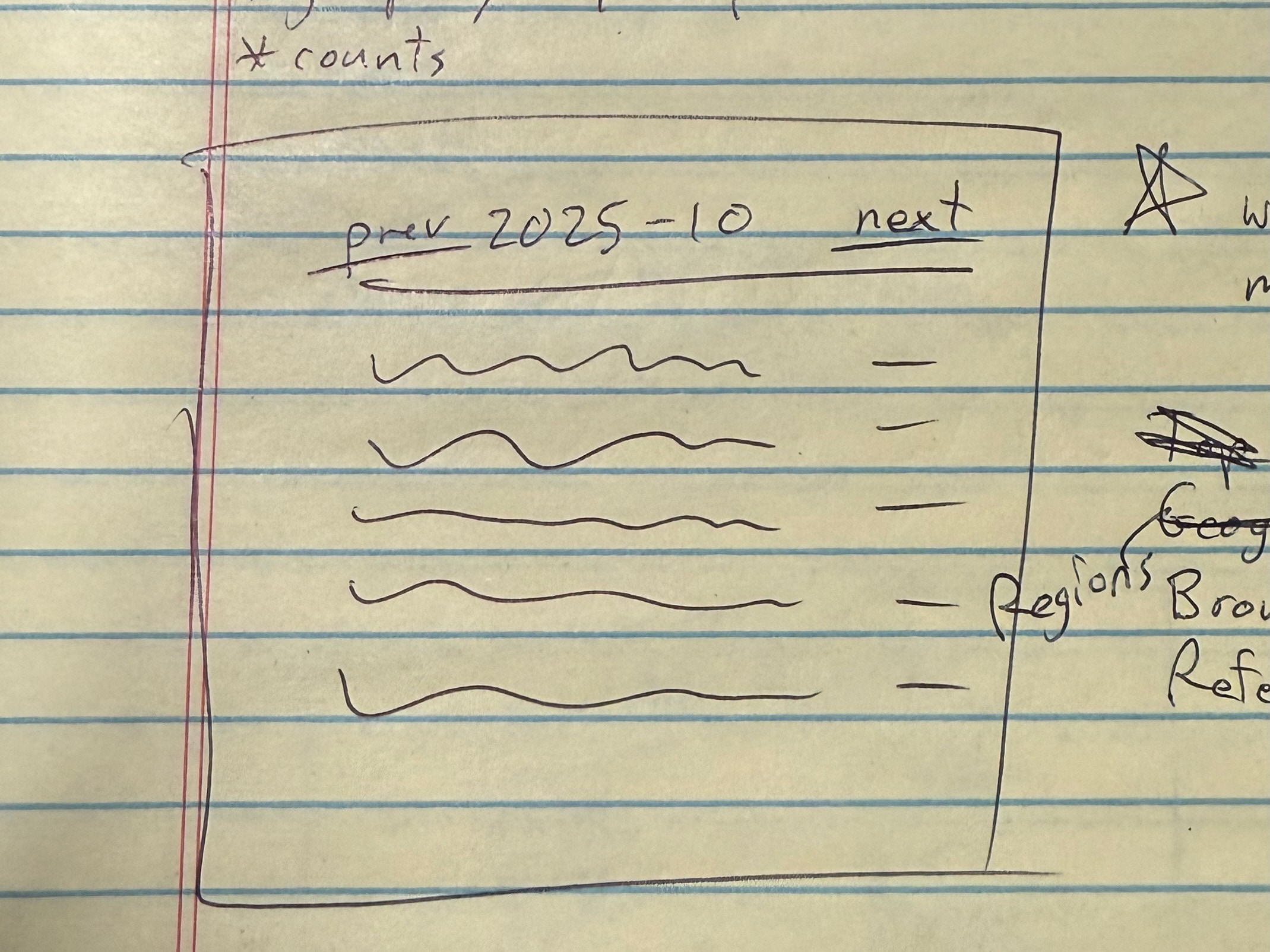
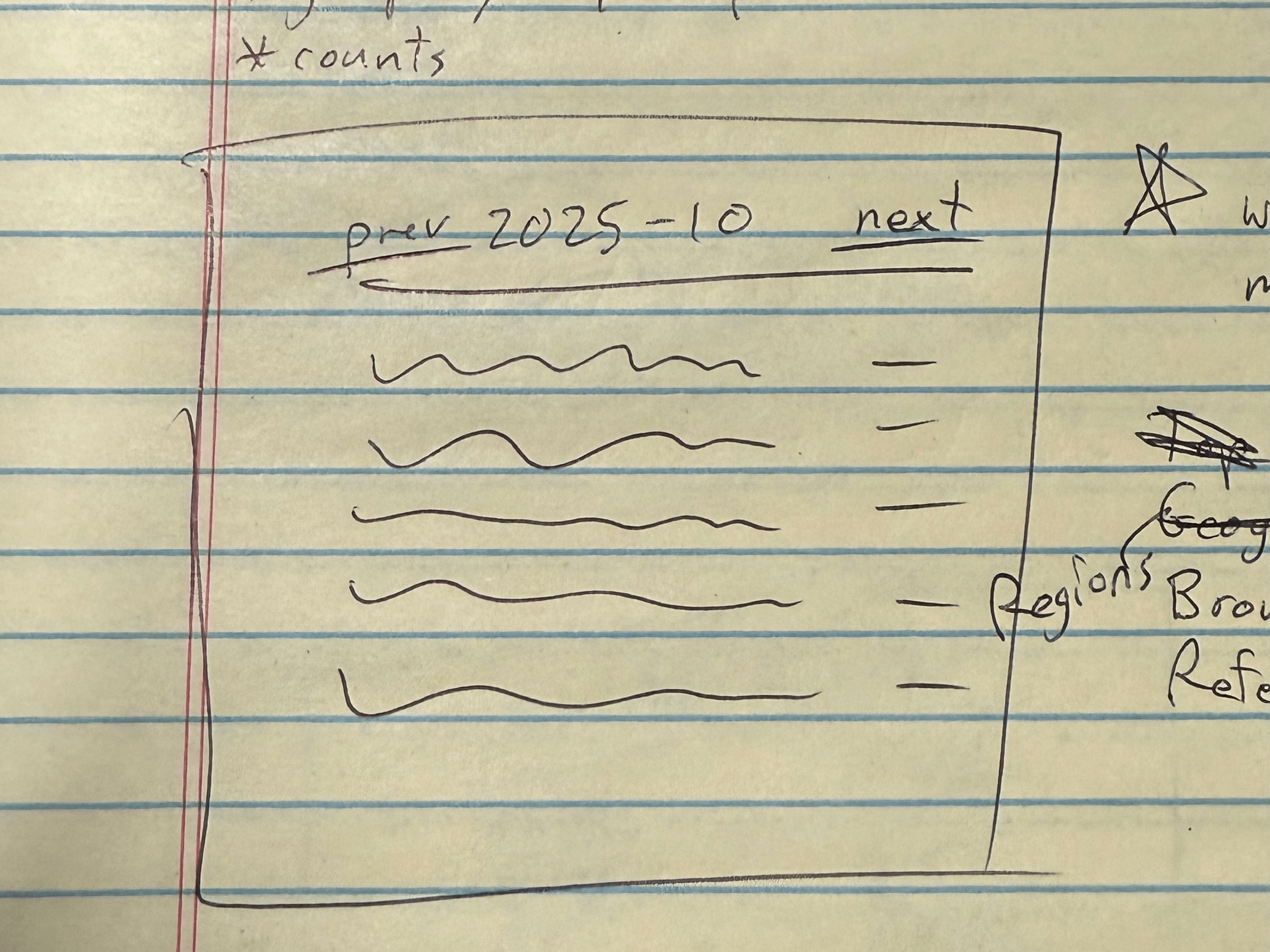
When you aren't sure what to build then a great place to start is with some sketching. I grabbed some paper and a pen and sketched out a few things. I drew in very broad strokes just to get some ideas flowing. As I went I also scribbled some notes about the way the reports might work. Param names and values - things like that.
I quickly landed on a page design that used some text labels to indicate the month and year of the report followed by a table of…something.
This sketch explores setting the metric/mode of the report:

This sketch explores navigating through periods:
URLs as UI
Before I knew it I was starting to look at my sketches and ponder what the URLs would look like. I moved to writing out URL options and iterated a bunch. I actually filled up a few pages with different approaches to organizing things via URL parts. This was extremely helpful in focusing me on what I wanted to build.
Here's where I ended up:
# Rails route
/analytics/:metric/:mode/:year/:month
I knew I had nailed it when I could look at a given URL and translate it into English. Here are couple examples:
/analytics/browsers/summary/2021/01
=> summary view of browser names during January 2021

/analytics/pages/detail/2025/11
=> detail view of pages requested during November 2025
At this point I put paper and pen down and started coding with some enthusiasm because I had the beginnings of a plan.
Metrics by Modes in Periods
The plan was to build a page where I could pick a metric to view by a mode with matching records in a given period. To start I'm focusing on metrics I either already had or could easily get:
- Browser - take the user agent value and parse it with the browser gem
- Page - use the page request value straight from the log
- Referrer - use the header value straight from the log
For modes I was thinking of a summary that would group and count items plus a detail view in case I wanted to look at individual log items.
At this point I felt like I had explored the idea enough to have some thoughts about what I wanted to do - spike complete. Time to head back to the main branch, start a system spec, and pivot to making this for real. That's what the next PR does.
Reporting Classes
The only maybe interesting thing I'll call out is that I ended up building this out with page objects. Here's the lineup:
- Summary Report - uses
Analytics::SummaryReportandAnalytics::SummaryRow - Detail Report - uses
Analytics::DetailReportandAnalytics::DetailRow
I extracted an Analytics::BaseReport class as I went and it was nice to see
how using POROs made this code easy to land. I deployed this to Heroku and
clicked around and the pages loaded great with no performance issues at all.
Something was actually easy!
Add CRUD pages for analytics models
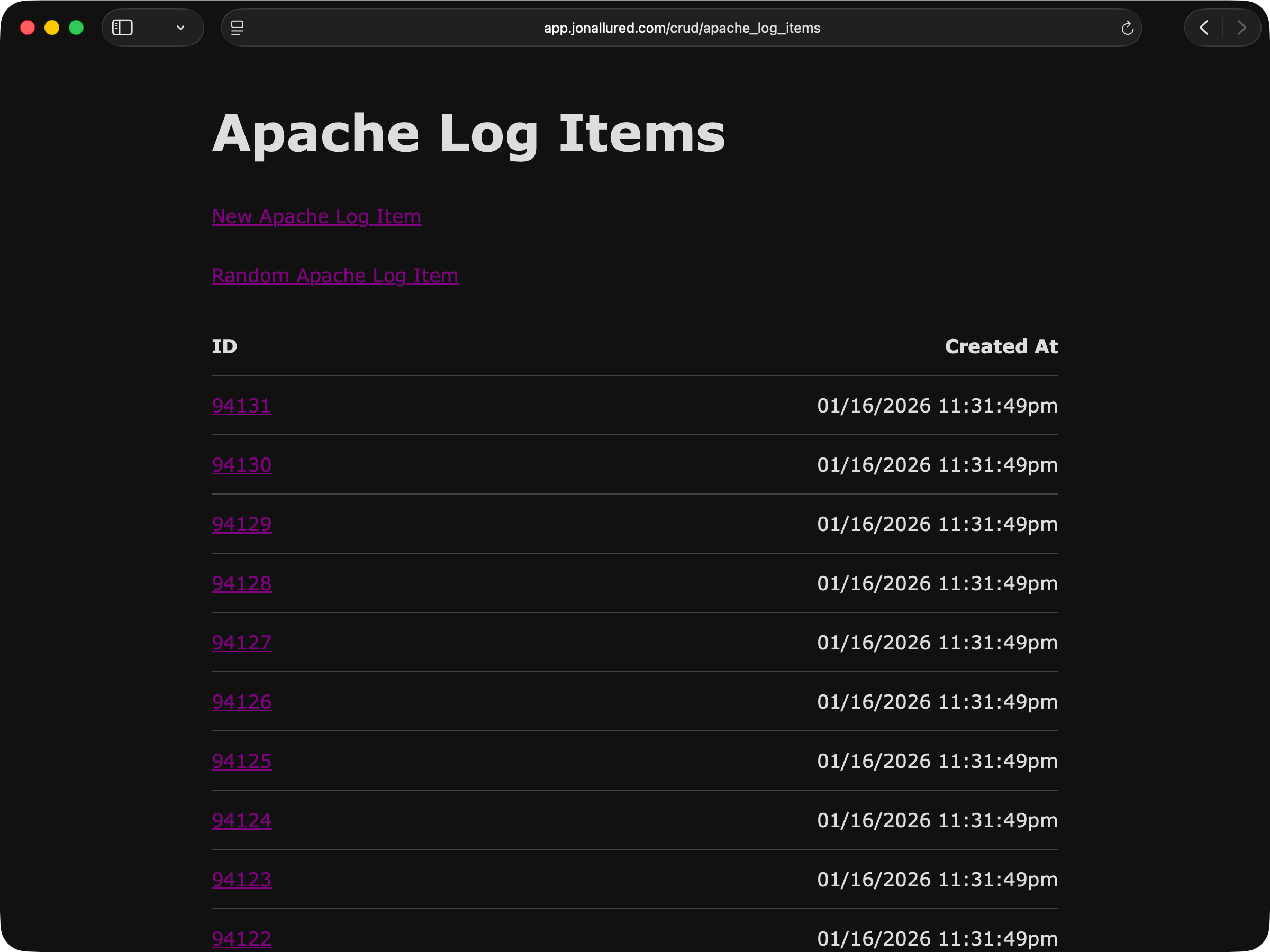
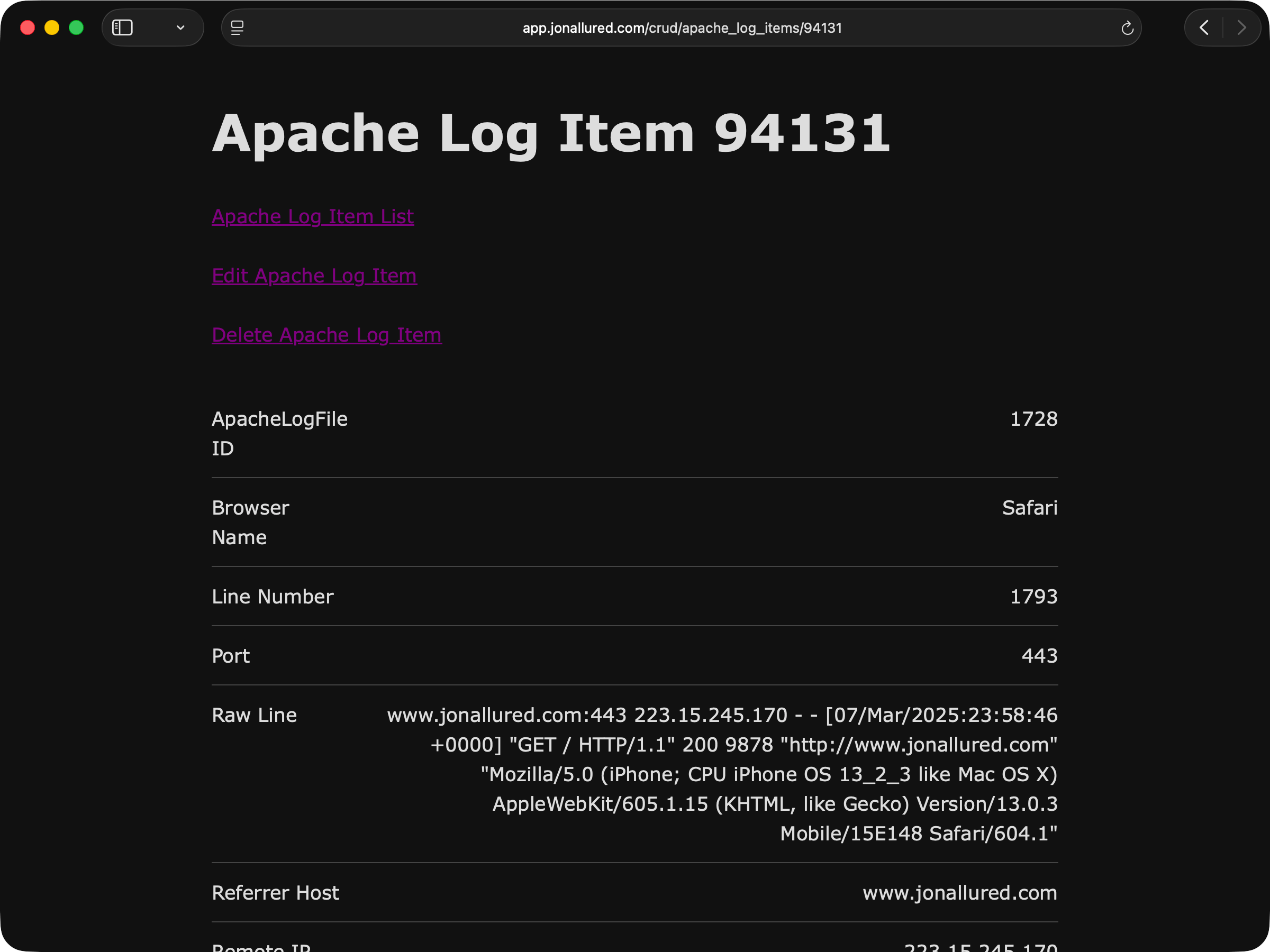
Next on my list was to do a little bit of paperwork. A while back I created a Rails generator that will take a model and create the CRUD pages that can be used to admin those records. I don't use these admin pages all that often but I do like making them just in case it's handy to be able to use a UI to tinker with things. I actually did wire up the detail report to link to the show page so if I see something off in the reports then I can jump right to a view of the record.
Here's the list page:
And here's the detail page:
To generate these pages I ran these commands:
$ bin/rails generate crud:pages ApacheLogFile
$ bin/rails generate crud:pages ApacheLogItem
From there it's just a matter of filling out some REPLACE_ME details and
getting the generated specs to pass. The PR alternates between these
two steps.
I do need to write up a post about my generator - so much to do so little time.
Configure recurring import process for analytics data
The last part of this that needed to be done was configuring a nightly job to
import whatever new data had been uploaded to S3. I already had a few jobs setup
in my config/recurring.yml so adding another would be easy.
What I had in mind was an update to the Extract class that would move files into
an "archive" folder. The way that logrotate works is that each day has an
access.log and an error.log file so here's what I was thinking:
# before
domino/logs/access.log-20251201.gz
domino/logs/errors.log-20251201.gz

# after
domino/archives/access.log-20251201.gz
domino/archives/errors.log-20251201.gz
Take each day's files that I had already imported and just move them from "logs" to "archives". Then list what remained in the "logs" folder each night and it would only be the new day's files. Archive those too and we have a recurring import process.
The PR is pretty straightforward but I did have to do a bit of trickery when running it over the records that were already imported:
> ApacheLogFile.all.each { it.extractor.send(:archive_files) }
When I attempted this in a Rails console in production the Heroku dyno crashed.
I'm not totally sure why - I even tried again with ; nil at the end in case it
was trying to return the records. Rather than spend any further time fighting
with out of memory dynos I just ran it on my laptop and called that good enough.
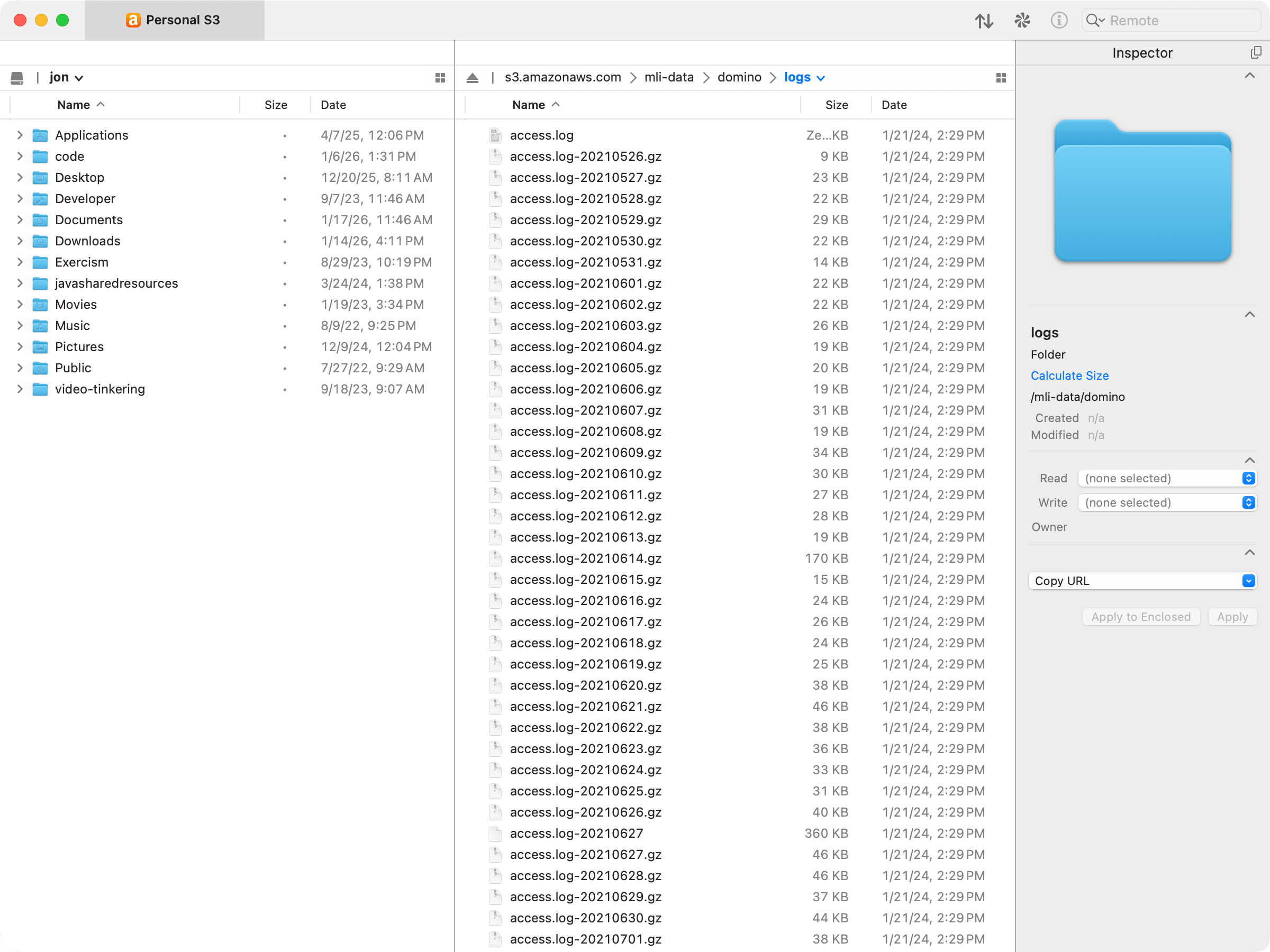
I use the Transmit app to view my S3 buckets so here's what it looked like before:
And then here's what it looked like after I ran the above command and did a little extra random cleanup:
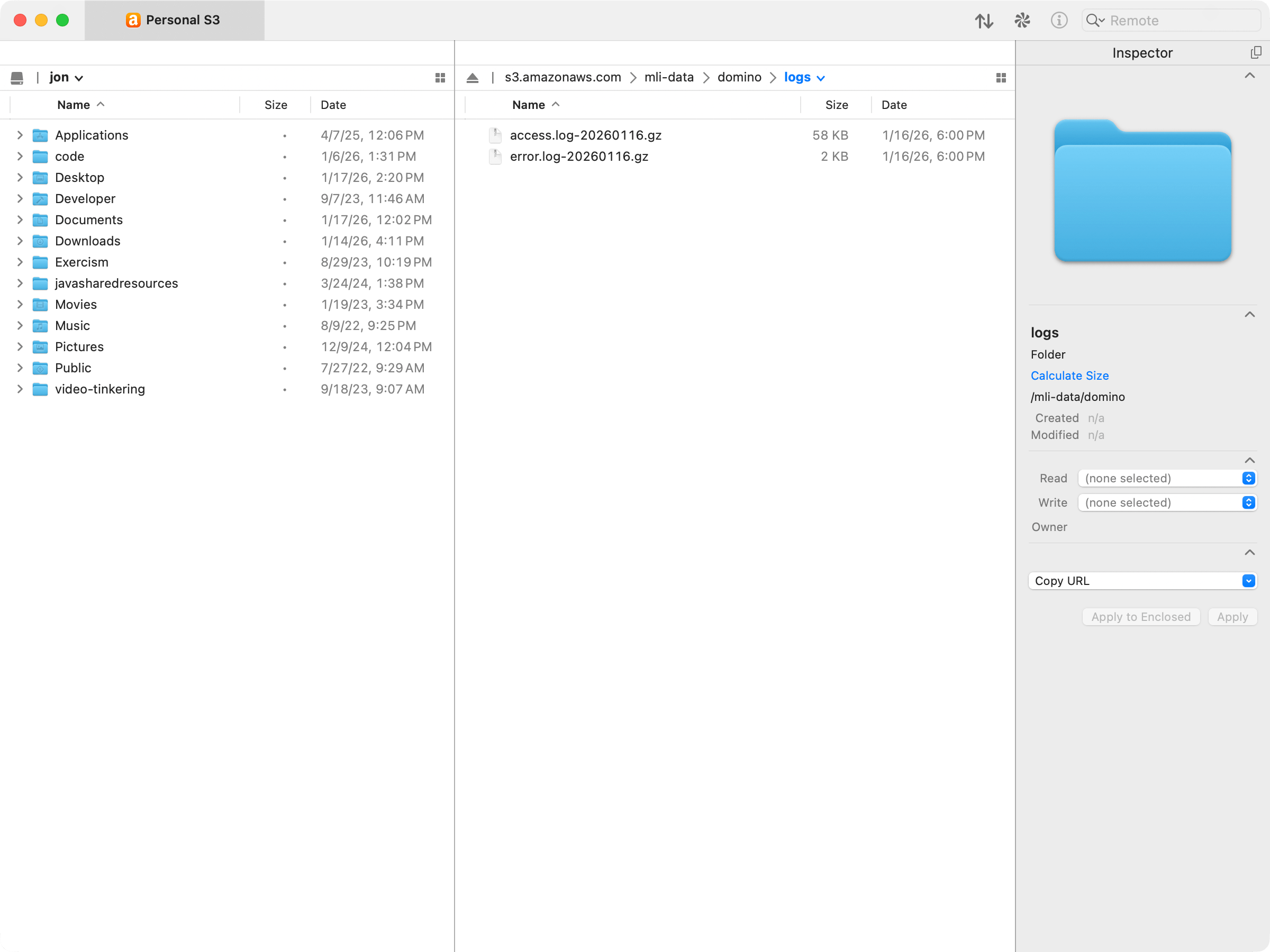
And that is correct - those 2 remaining files were not imported yet and should be picked up tonight. Along with whatever lands in there for today.
Conclusion
I've been working on this project since October when I migrated my blog to Jekyll and started posting again more seriously. I had no idea it would take this long! I also did not know that this project would include all these interesting little details and learnings. Now that this is landed I have some other ideas for ways I can use this data but I'm just really happy with how it turned out.
I also feel really validated that I can get website analytics info for my personal site with Apache access logs and not use Google Analytics. Sure, I don't have as much analytic data but I have enough. I know roughly how many requests my site gets, which browsers people are using, and where that traffic is coming from. And I get all this without having to include Javascript in my site nor having to expose myself and my readers to the privacy destroying machine that is Google. Please clap!